Software for concrete coating contractors
Trace the driveway, patio or pool deck on a photo in LawnTools and show it in the finish the customer picks, work out the material with the free coating calculator, then quote good, better and best in JobTools, schedule the crew and get paid by card or bank transfer.
Show the finish on their own slab
LawnTools traces the slab on a photo of the house or a satellite view, or finds the area in the photo for you, and gives you its square footage. Pick the finish from the coating lines built in, grouped by family and system with a swatch for each color, and the driveway, patio or pool deck is drawn in that color on the photo, the plan and the 3D view. Change the finish while the customer watches.
The area goes into the LawnTools estimate at your own rates, next to any lawn, bed or paving work on the same property. Imagine turns the design into a photoreal picture of the finished slab.
Work out the material
A coating quote starts with the square footage and the system. The concrete coating calculator takes the floor size and each coat's coverage from the data sheet and gives the gallons and kits of base coat and top coat, the boxes of flake and the wet film thickness each coat goes on at. Change the coverage and the mils follow, since a gallon spread one mil thick covers 1,604 square feet.
Slab repairs, steps and new pads take concrete as well as coating; the concrete, gravel and mulch calculator turns them into cubic yards and bags. The markup and margin calculator checks that the price per square foot leaves the margin you want.
Notes from the site visit
Coating jobs turn on what you find on the slab: moisture, cracks, old sealer, oil stains and how much grinding it needs. In JobTools, snap a photo of your handwritten notes or record yourself talking as you walk the floor, and it is typed up and summed up on the lead: measurements, finish, budget, timing and open questions. The photos stay with the lead and follow it into the job.
Good, better and best on one proposal
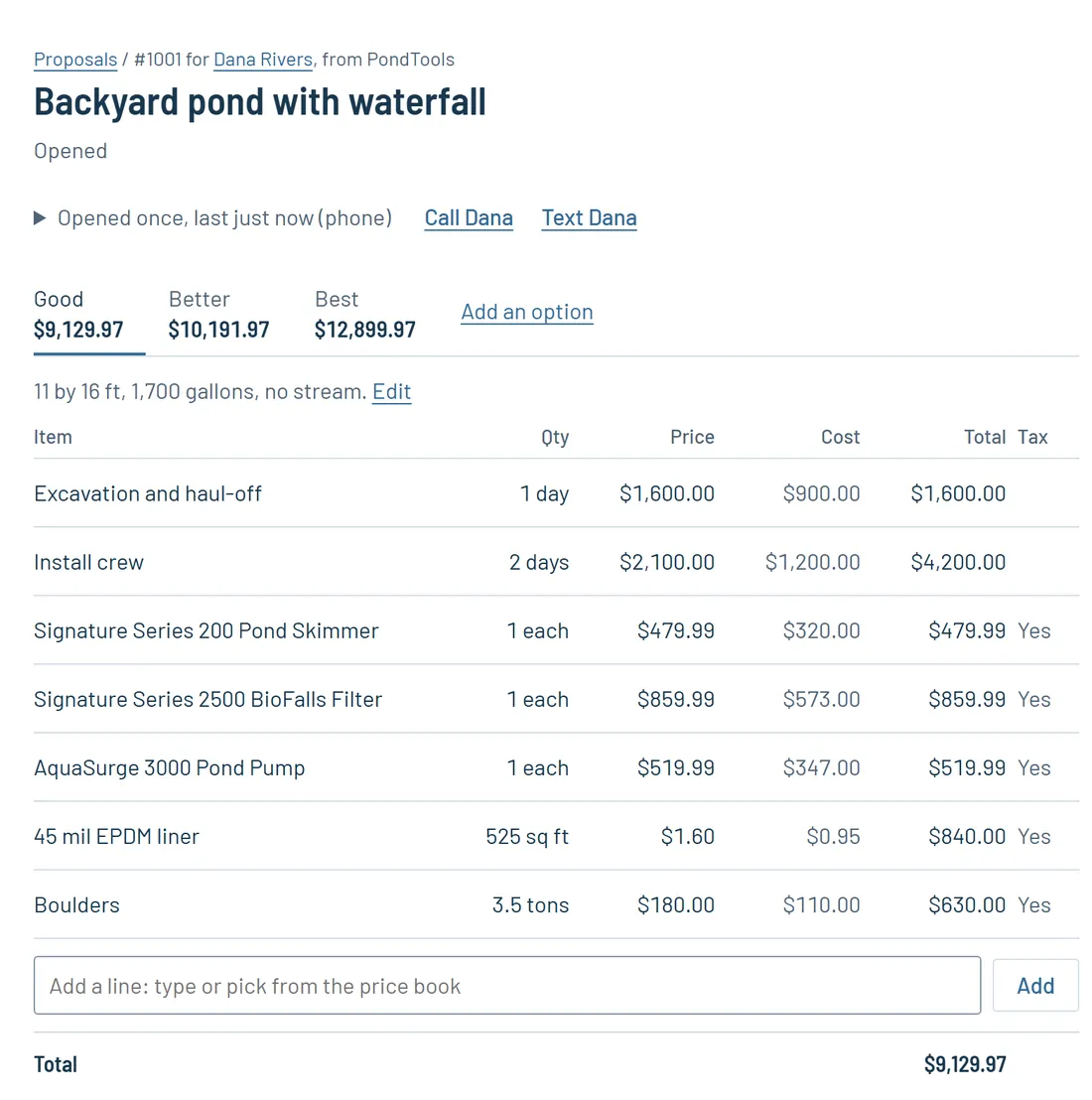
Most customers choose between systems, so price them side by side. Set up your systems in the price book with what they cost you and what you charge, then build one proposal with three options, for example a solid color epoxy, a full broadcast flake floor with a polyaspartic top coat, and a metallic finish. Add extras the customer can tick, like stem wall coating or a cove base.
Send it as a link. When the customer opens it, JobTools tells you, with the time and the device, so you can call while they are looking. They pick an option and sign on their phone, and the signed proposal becomes a job with the deposit invoice made out.
Schedule the crew around cure times
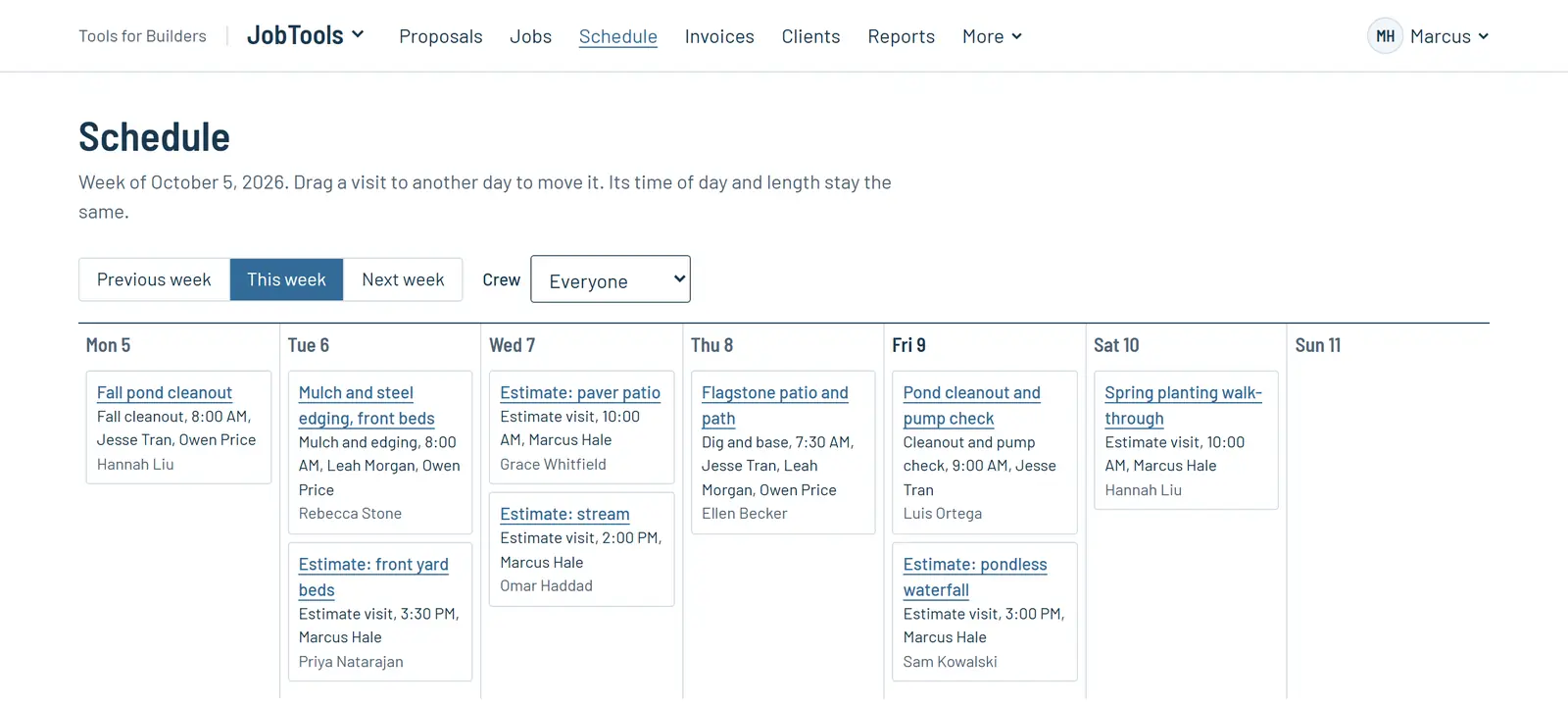
Put the grind and base coat on one day and the top coat on the next, and drag a visit when the slab tests wet or the weather turns. The schedule has week, day and crew views, and each person sees their visits on their phone with the checklist, before and after photos, notes and a time clock. If your crew already uses CompanyCam, photos and notes sync with JobTools both ways.
Getting paid
Send deposit, progress and final invoices from the job. Customers pay by card or by bank transfer (ACH), straight into your own Stripe account, and you record checks and cash as they come in. JobTools keeps track of what is still owed and sends your customers, items, invoices and payments to QuickBooks Online, so the books stay current without typing anything twice.
Proposals that are not signed after a few days get a reminder email, and so do invoices as they come due. Each customer has their own page with their visits, invoices and jobs.
Leads, your website and the phone
WebTools builds your website from a few answers about your business, and messages from its contact form arrive in JobTools as new requests. Customers can book an estimate visit on your online booking page, and the AI receptionist answers your business phone, offers times you are free and books estimate visits.
Free calculators
Start free
LawnTools and the calculators are free, and you can try Pro free for a month.
Questions
- Can I show the customer the finish on their slab?
- Yes. Trace the driveway, patio or deck in LawnTools on a photo or satellite view and pick the finish; it is drawn in that color on the photo, the plan and the 3D view. LawnTools is free.
- Can I price my systems per square foot?
- Yes. Add each system to the price book as an item with what it costs you and what you charge per square foot, and enter the floor area as the quantity on the proposal.
- How do I work out how much epoxy a garage needs?
- Divide the floor area, plus about 10 percent, by the coverage per gallon on the data sheet for each coat. At 160 square feet a gallon, a 576 square foot garage takes about 4 gallons of base coat.
- Can customers pay a deposit online?
- Yes. The signed proposal becomes a job with the deposit invoice made out, and customers pay it by card or bank transfer into your own Stripe account.